
Managing Filter Categories
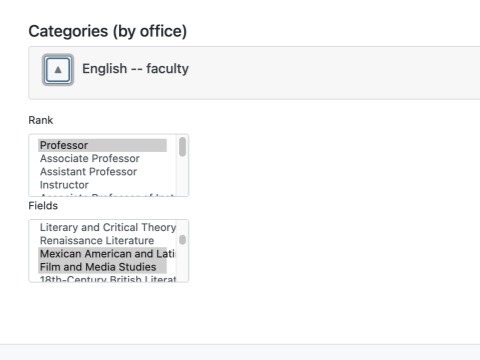
This caption describes the image above.
Adding & Editing Categories
In the "Categories (by office)" section you can pick one or more categories for the profile. These categories are used for filtering and sorting profile lists on the website. The categories can be edited in the unit's main information page.
Adding a Category to Faculty Member Profile
-
From the Dashboard, click the ‘Faculty’ link to show the Faculty list.
-
Click ‘Edit’ to open the faculty profile
-
Scroll down to the bottom of the profile edit page, click to expand the Categories section and select the correct category from the list.
-
Click the blue ’Save data’ button.